
1 item has been added to your cart.

Excel® import and export was introduced in Stata 12.
Order |
Stata for Windows, Mac*, and Linux can now directly import and export Microsoft Excel files. Both Excel 1997/2003 (.xls) files and Excel 2007/2010 (.xlsx) files are supported.
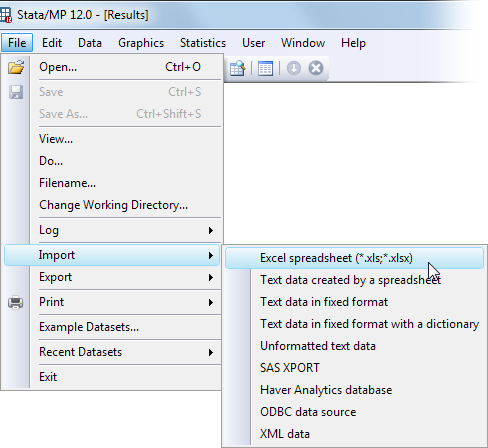
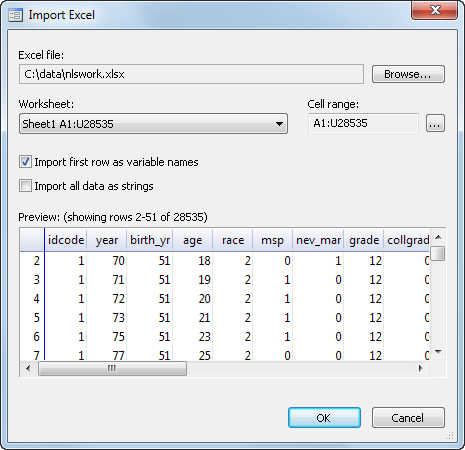
Above you see the preview tool, which you can use to see the data in an Excel worksheet before importing it and adjust options controlling how the data are imported.
import excel features
export excel features
* import excel and export excel are not available on PowerPC-based Macs; all modern Macs are Intel-based and do support import excel and export excel.
Excel is a registered trademark of Microsoft.
See New in Stata 19 to learn about what was added in Stata 19.


