
Stata handles factor (categorical) variables elegantly. You can prefix a variable with i. to specify indicators for each level (category) of the variable. You can put a # between two variables to create an interaction–indicators for each combination of the categories of the variables. You can put ## instead to specify a full factorial of the variables—main effects for each variable and an interaction. If you want to interact a continuous variable with a factor variable, just prefix the continuous variable with c.. You can specify up to eight-way interactions.
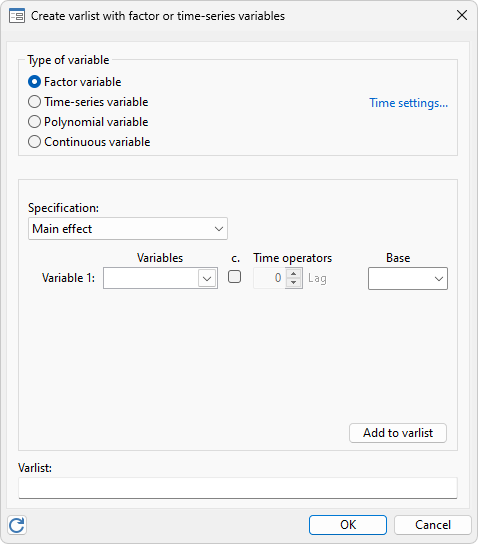
We run a linear regression of cholesterol level on a full factorial of age group and whether the person smokes along with a continuous body mass index (bmi) and its interaction with whether the person smokes.
. regress cholesterol i.smoker##agegrp bmi i.smoker#c.bmi
| Source | SS df MS | Number of obs = 4,049 | |
| F(9, 4039) = 15.30 | |||
| Model | 137.845627 9 15.3161808 | Prob > F = 0.0000 | |
| Residual | 4044.55849 4,039 1.0013762 | R-squared = 0.0330 | |
| Adj R-squared = 0.0308 | |||
| Total | 4182.40412 4,048 1.0332026 | Root MSE = 1.0007 |
| cholesterol | Coefficient Std. err. t P>|t| [95% conf. interval] | |
| smoker | ||
| smoker | -.7699108 .337665 -2.28 0.023 -1.431921 -.1079012 | |
| agegrp | ||
| 45-49 | .1554985 .0620537 2.51 0.012 .0338391 .2771579 | |
| 50-54 | .1838839 .0618467 2.97 0.003 .0626303 .3051375 | |
| 55-59 | .1746813 .0763244 2.29 0.022 .0250433 .3243193 | |
| smoker#agegrp | ||
| smoker#45-49 | -.118553 .1367914 -0.87 0.386 -.3867396 .1496336 | |
| smoker#50-54 | -.1332379 .1363604 -0.98 0.329 -.4005796 .1341038 | |
| smoker#55-59 | -.2466412 .1717679 -1.44 0.151 -.5834009 .0901185 | |
| bmi | .0253916 .0059336 4.28 0.000 .0137585 .0370246 | |
| smoker#c.bmi | ||
| smoker | .0501707 .0129223 3.88 0.000 .0248358 .0755055 | |
| _cons | 5.437234 .1520921 35.75 0.000 5.139049 5.735418 | |
We could have used parenthesis binding, to type the same model more briefly:
. regress cholesterol smoker##(agegrp c.bmi)
Base levels can be changed on the fly: i.agegrp uses the default base level of 1, whereas b3.agegrp makes 3 the base level.
The level indicator variables are not created in your dataset, saving lots of space.
Factor variables are integrated deeply into Stata’s processing of variable lists, providing a consistent way of interacting with both estimation and postestimation commands.


